Virtual Staging AI — furnish any empty room from one photo
Roomvana's virtual staging AI turns a photo of an empty, unfurnished room into a warm, move-in-ready space that buyers can picture living in. Upload your photo, pick a style, and the AI adds sofas, rugs, lighting, art and decor in about 30 seconds — while your walls, windows, floors and layout stay exactly as they are. It's a fraction of the cost of physical staging and ready in seconds, not weeks. It's free to try, and you can explore it online without signing up.
No photo? Try an example: · ·
Space
Room
Mode
Upload an empty room — the AI furnishes it in your chosen style.
Style
Free to try — 3 designs on your own room, no card needed.
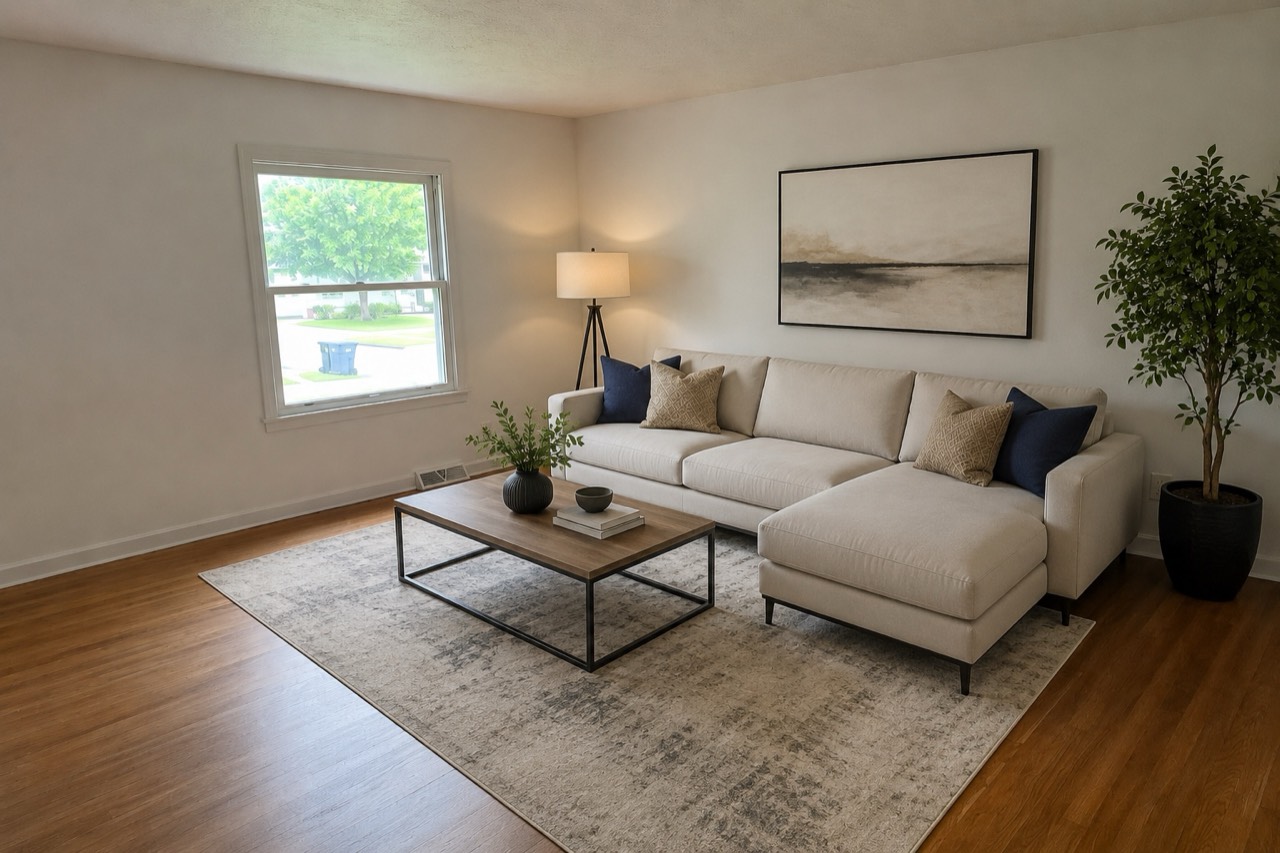 After
After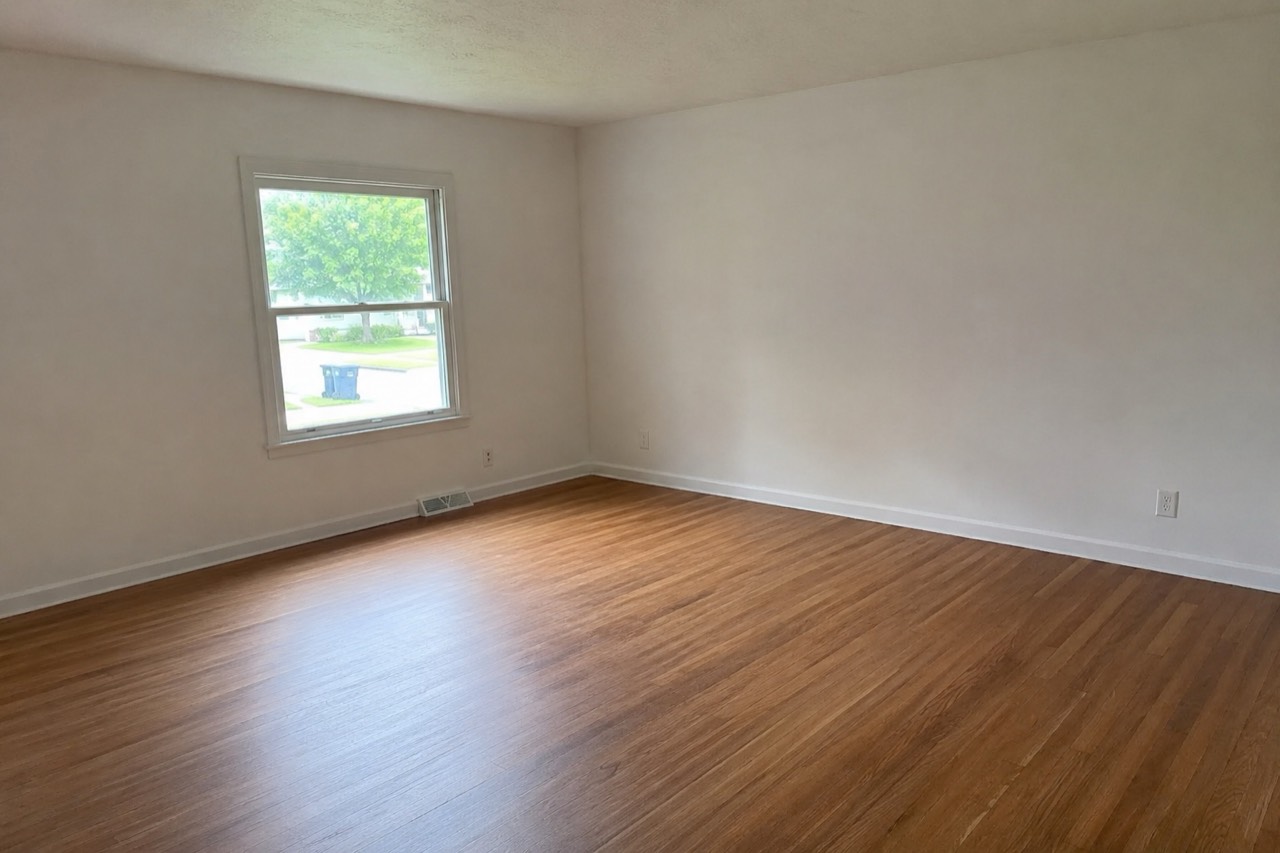 Before
Real result — the same empty room, virtually staged in minutes
Staging styles to try
How to stage your room with AI
- 1
Upload a photo of the empty room
Take or upload a clear photo of your empty room — a straight-on shot in good daylight that shows the floor and as much of the walls and windows as possible stages best.
- 2
Pick a staging style
Choose a look that fits the home and your buyers, from clean modern and contemporary to coastal, farmhouse, Scandinavian or a warmer traditional feel.
- 3
Generate the staged room in ~30 seconds
Roomvana furnishes your exact room — adding seating, rugs, lighting, art and decor — in about 30 seconds, keeping the walls, windows and floors untouched.
- 4
Download or add it to your listing
Slide between empty and staged, download your favorite in 4K, or share a link — then add the staged photos to your listing (labeled as virtually staged).
What the AI can change
It restyles
- · Sofas, chairs & seating
- · Beds & nightstands
- · Dining tables & sets
- · Rugs to anchor each space
- · Lamps & layered lighting
- · Wall art & mirrors
- · Plants & greenery
- · Curtains & window styling
- · Decor, styling & accessories
It never touches
- · The walls & paint
- · Windows & doors
- · Flooring & finishes
- · The room's architecture & size
- · The view outside & camera angle
Frequently asked questions
What is virtual staging?+
Virtual staging uses AI to add realistic furniture and decor to a photo of an empty room, so buyers can picture living there. Instead of renting real furniture and moving it in, you upload one photo and the AI furnishes the space digitally. The walls, windows and floors stay exactly as they are — only the furnishings are added.
How does AI virtual staging work?+
You upload a photo of an empty room and pick a style. Roomvana's AI reads the room's shape, then adds sofas, rugs, lighting, art and decor that fit the space, while keeping your walls, windows and floors in place. In about 30 seconds you get a furnished before/after you can slide between.
Is Roomvana's virtual staging tool free?+
Yes. Every new account gets 3 free designs (watermarked) to stage your own room — no credit card needed. After that, credit packs start at $5.99 for 10 designs and never expire; any purchase removes the watermark and unlocks 4K downloads, custom instructions and commercial use. There's no subscription.
Can I try it without signing up?+
You can explore the tool online on our example rooms without an account. To stage your own photo you'll create a free account, which takes a few seconds and comes with 3 free welcome designs to try on your own empty room.
Does it keep the room's real walls, windows and floors?+
Yes. Virtual staging only adds furnishings — it's built to leave your walls, paint, windows, doors and flooring exactly as they are in the photo. That's what makes the staged shots honest: the space a buyer sees is the real space, just furnished. The architecture, room size and the view outside don't change.
How is virtual staging different from redesign?+
Redesign restyles a room that's already furnished — it can swap out existing furniture and finishes. Virtual staging starts from an empty room and adds furniture where there was none, which is what you want when a home is vacant and listed for sale or rent. And if the photo still shows the seller's old furniture, use Remove furniture mode first: it empties the room without touching walls or floors, and you stage the clean result. Roomvana handles all three; this page opens in staging mode.
How much cheaper is it than physical staging?+
A lot. Traditional physical staging often runs hundreds to a few thousand dollars per month in furniture rental, delivery and labor. Virtual staging costs a few dollars per photo and is ready in seconds instead of weeks, so it's the practical choice for vacant listings, quick turnarounds and homes where moving real furniture in isn't worth it.
Am I allowed to use virtually staged photos in a real-estate listing?+
Generally yes, but you should disclose it. Many MLSs and local real-estate rules require that virtually staged or digitally altered photos be clearly labeled — for example a "virtually staged" caption on the image. We recommend labeling every staged photo and never using staging to hide a defect or misrepresent the property. Check your MLS and local disclosure rules, since they vary.
What photo works best for virtual staging?+
An empty, well-lit, straight-on photo of the room gives the best result. Shoot in daylight with the lights on, hold the camera level, and capture the floor and as much of the walls and windows as you can. Clear out boxes, ladders and clutter first — the cleaner and emptier the room, the more naturally the AI can place furniture.
Can real-estate agents and landlords use it?+
Yes. Whether you're selling your own place, renting out a unit, or listing on someone else's behalf, virtual staging makes a vacant room feel lived-in without paying to rent furniture. Every credit pack includes commercial use, and any design can be upscaled to 4K for 1 more credit, so you can stage a whole listing's worth of rooms and add the photos to your MLS or rental listing — just label them as virtually staged.
Does it work for any type of room?+
It works for most interior rooms — living rooms, bedrooms, dining rooms, home offices and more. Pick the room type and a style, and the AI furnishes it appropriately, adding a bed to a bedroom or a sofa and rug to a living room. Very unusual or heavily obstructed spaces can be hit or miss, so try a couple of angles if the first result isn't quite right.
Can I download the staged photo in 4K?+
Yes. Buying any credit pack removes the watermark, and you can upscale a design to 4K for 1 credit — big and sharp enough for MLS uploads, listing sites and print flyers. Free trial designs are watermarked and standard resolution.
What happens to my photos?+
Your photos stay private and are never used to train AI models. They're stored only so you can revisit your staged designs, and you can delete them any time from your gallery or by deleting your account.