An empty room photographs terribly. Buyers scrolling listings see bare walls and carpet seams where they're supposed to see their future living room, and rooms without furniture are notoriously hard to size up — a vacant bedroom somehow looks smaller than a furnished one. Staging exists to fix this, and virtual staging exists because the physical version costs thousands.
Here's how it works, what it costs against the alternatives, the disclosure rules that separate legitimate use from misleading buyers — and the cases where it isn't the right tool.
What is virtual staging?
Virtual staging is the digital furnishing of real photos: you photograph the actual empty (or dated) room, and furniture, rugs, art and decor are added to the image — traditionally by a graphic designer, increasingly by AI. The walls, windows, floors and dimensions are the real room; the furnishings are illustrative. It's used mainly for property listings, but also by landlords advertising rentals and by owners who simply want to see what a bare room could become.
What it costs, roughly
- Traditional staging: renting furniture and having it installed commonly runs from the high hundreds into several thousand dollars per month, scaling with home size and market
- Human virtual staging services: typically tens of dollars per photo, with a turnaround of hours to days
- AI virtual staging: typically under a dollar to a few dollars per image, with results in seconds — Roomvana's staging mode, for context, works out to well under a dollar per design on its credit packs
The economics explain the adoption: for the price of one month of physical staging in one house, virtual staging covers every room of every listing an agent carries that year. Physical staging still earns its cost in one situation — the in-person showing, where there's no substitute for a real sofa. Many sellers now combine them: stage the two rooms buyers walk into first, virtually stage the rest for the listing.
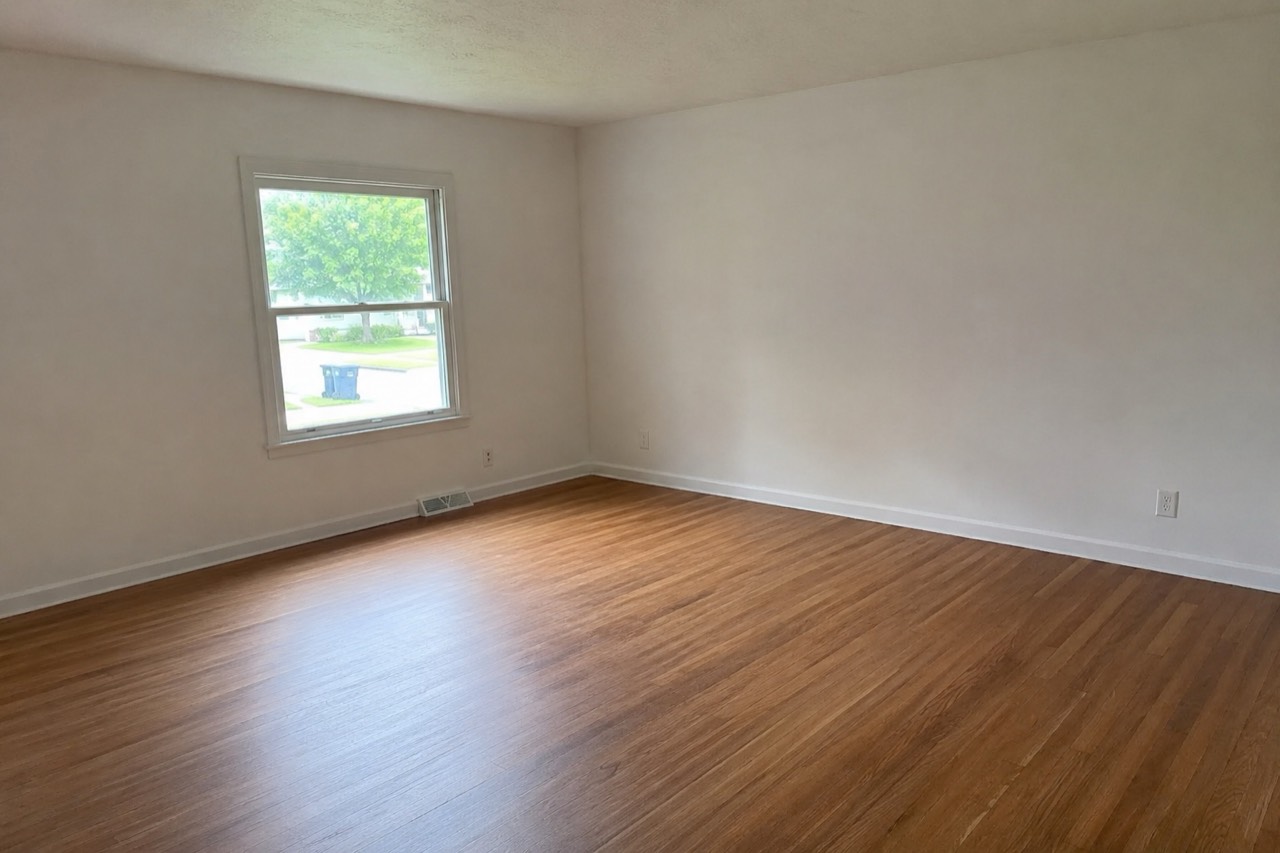 Before
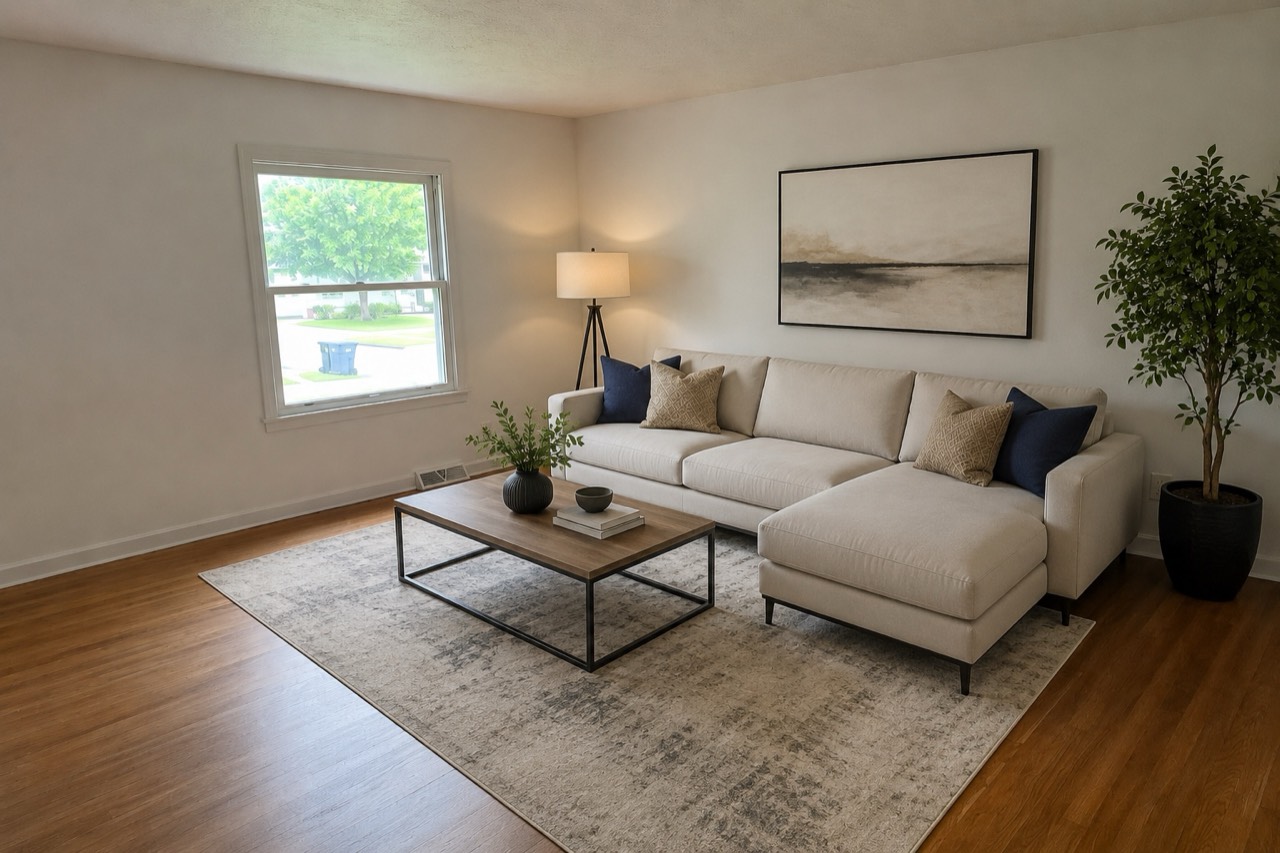 After
AfterThe disclosure rules — read this part
Virtual staging is legitimate exactly as long as buyers know what they're looking at. The professional norm — written into many MLS rules and agent codes of conduct — comes down to three lines:
- Label every virtually staged image, clearly — "virtually staged" in the photo caption is the standard
- Only add what's removable: furniture, rugs, art, decor. Never alter permanent features — walls, floors, windows, fixtures — and never digitally "repair" real flaws in a listing photo
- Include the unstaged original alongside, or make it available — buyers should be able to see the empty truth
The logic is the same one behind every advertising rule: staging sells a possibility, and possibility is fair game; concealing the actual condition of the property is not. A buyer who feels tricked at the viewing is a buyer who walks — the disclosure isn't just ethics, it's conversion protection.
When virtual staging works best
- Vacant listings — the core use case; empty rooms are the hardest to sell from photos
- Rentals — landlords reuse one staged photo set across years of tenant turnover
- Awkward rooms — a staged photo answers "what would even go in here?" for odd layouts
- Pre-sale planning — sellers preview whether a room shows better staged before deciding to hire physical staging
- Not-for-sale use — homeowners staging an empty room to plan their own furnishing; nothing about the technique is listing-specific
Where it backfires
- Over-glamorized renders — furniture that could never fit through the door, or lighting no lamp produces, sets up a disappointing viewing
- Staging over problems — using imagery to distract from damage crosses from marketing into misrepresentation
- Skipping the label — the fastest way to turn a fair tool into a complaint
- In-person-heavy markets — if most buyers tour before shortlisting, physical staging of key rooms may earn its premium
Trying it yourself
Virtual staging used to mean emailing photos to a service and waiting a day. The AI version is self-serve and takes seconds: upload a photo of the empty room to Roomvana's staging mode, and it returns the room furnished — furniture, rug and art placed, walls and windows kept where they are by design. Regenerate until the furnishing level looks honest rather than aspirational, download, and caption it "virtually staged" wherever it's published.
Stage an empty room in seconds
Upload one photo and see the room furnished in about 30 seconds. Sign in with Google for 3 free watermarked designs.
Try virtual staging