Free AI landscape design — redesign your yard from a photo
Want to see a new landscape without paying a designer first? Roomvana's free AI landscape design tool turns one photo of your yard into a realistic redesign in about 30 seconds. Play with our example yards right now without an account, then sign in with Google to get 3 free designs on your own front yard or backyard — no credit card, no subscription. Free designs come with a small watermark at standard resolution; whenever you're ready, any credit pack (from $5.99 for 10 credits) removes the watermark and unlocks 4K downloads and commercial use. All 23 styles are available on the free tier, and credits never expire.
No photo? Try an example: · ·
Space
Outdoor space
Upload a photo of your outdoor space — the AI restyles the planting, paving and features while keeping your home and boundaries.
Style
Free to try — 3 designs on your own room, no card needed.
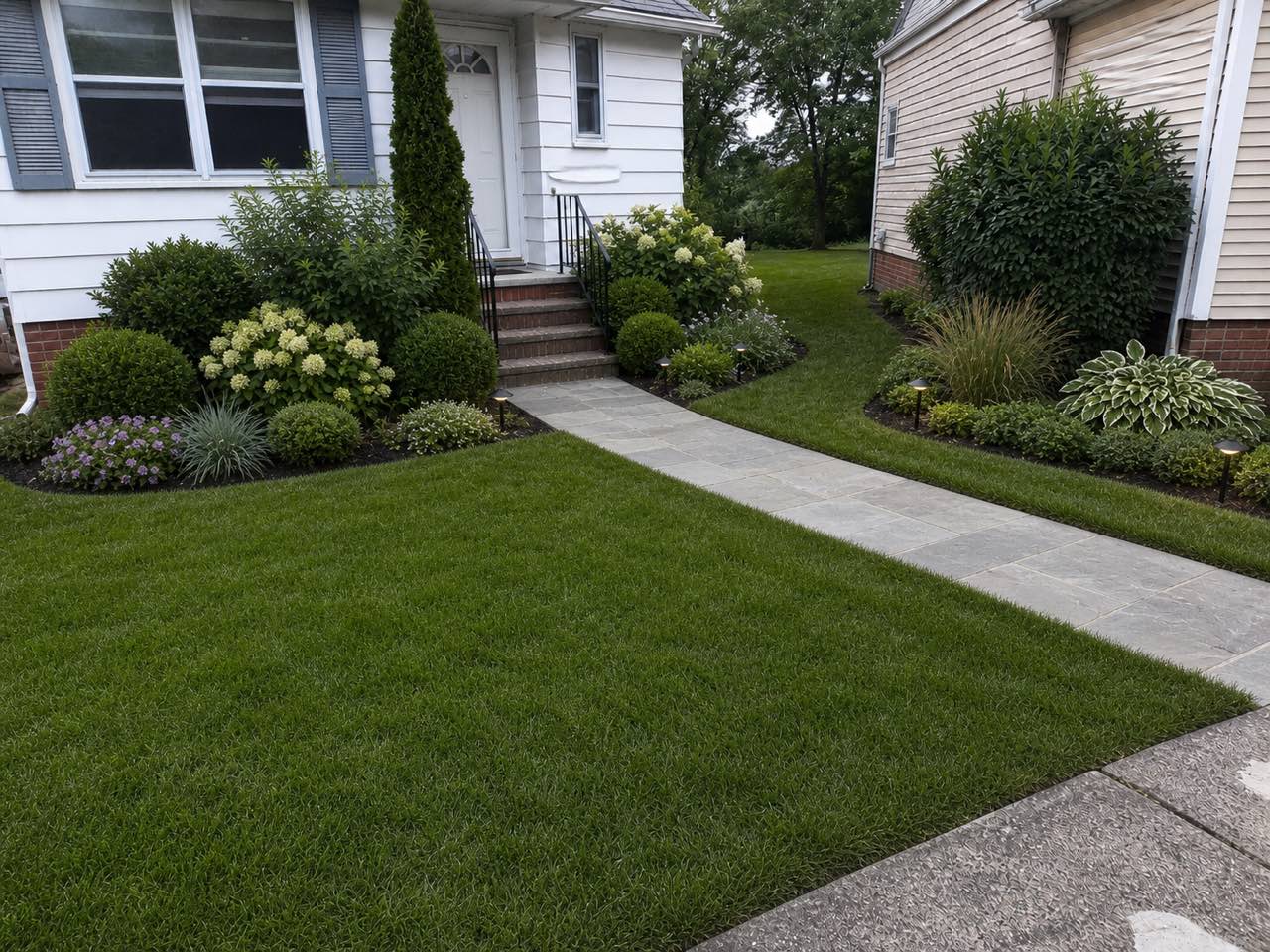 After
After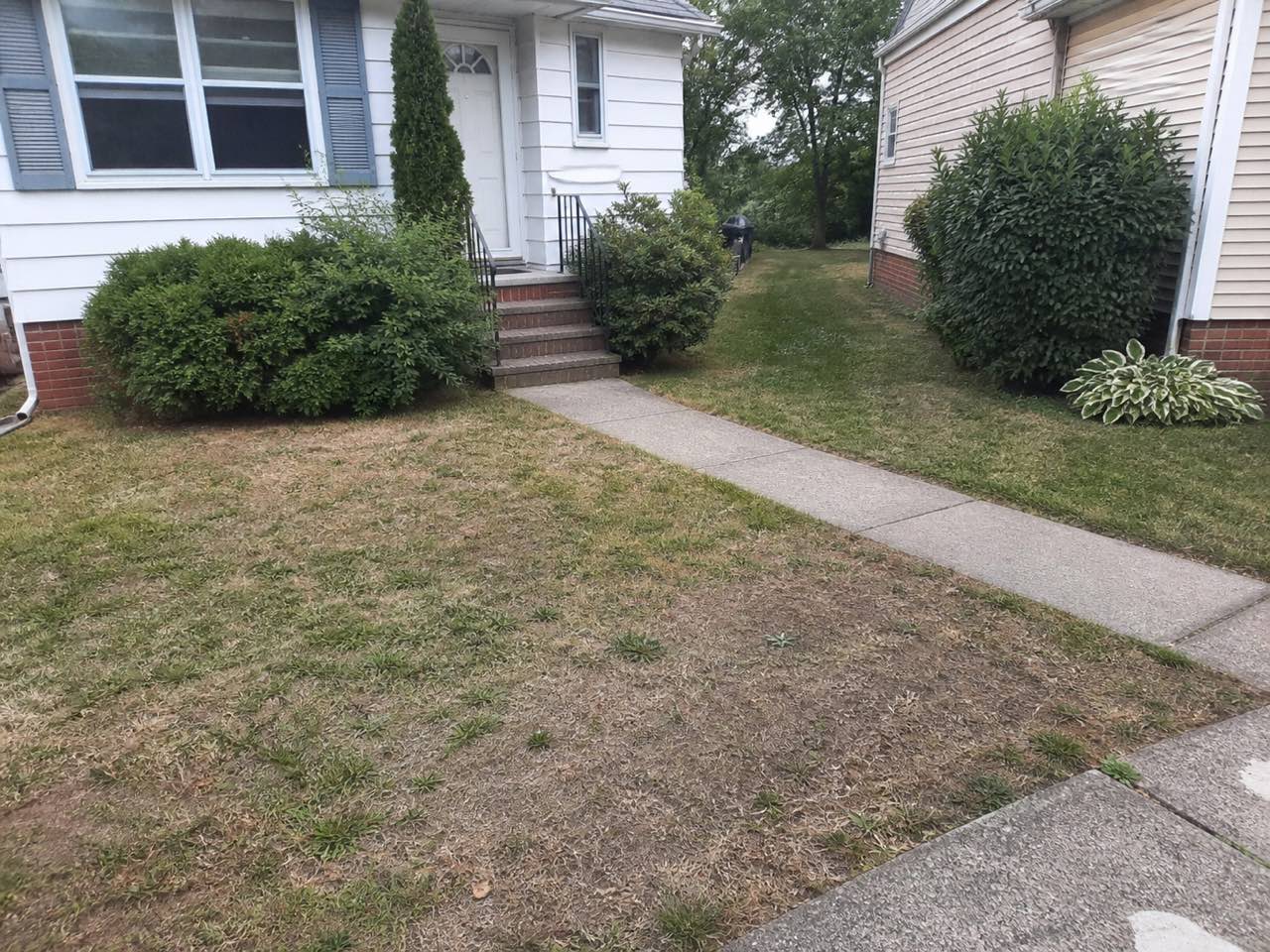 Before
Free result — the same yard, redesigned in a modern landscape style
Landscape styles to try — 12 of 23
How to redesign your landscape with AI
- 1
Try it free on an example yard
See how it works before you commit anything — open the tool and redesign one of our example yards for free, no account and no credit card needed. When you like what you see, move on to your own photo.
- 2
Sign in and upload your yard
Sign in with Google in a couple of seconds to unlock 3 free designs, then upload a clear daytime photo of your own front yard, backyard or whole plot — a straight-on shot showing the lawn, beds and a bit of the house works best.
- 3
Pick a style and generate
Choose from all 23 styles — modern, Mediterranean, tropical, cottage garden, coastal and more — and Roomvana renders a realistic replanted version of your exact yard in about 30 seconds.
- 4
Compare, download or share
Slide between before and after and download your free design. Any credit pack removes the watermark, unlocks 4K and lets you share the result with a partner or landscaper.
What the AI can change
It restyles
- · Planting, flower beds & borders
- · Lawn, ground cover & gravel
- · Paths, walkways & stepping stones
- · Hardscape — patios, decks & retaining walls
- · Garden lighting & up-lights
- · Outdoor furniture, fire pits & planters
It never touches
- · The house walls & structure
- · Your property boundaries & fence-line positions
- · The camera angle of your photo
Frequently asked questions
Is Roomvana's AI landscape design really free?+
Yes. You can redesign our example yards with no account at all, and every new account gets 3 free designs to try on your own photo. Free designs carry a small watermark and render at standard resolution. There's no time limit and no subscription — if you never buy credits, you never pay.
Do I need a credit card to try it?+
No. Signing in with Google gives you 3 free designs without entering any card details. You only add a payment method if you decide to buy a credit pack later to remove the watermark and unlock 4K downloads.
How is this different from the free tier on apps like iScape?+
Most landscape design apps put their good features behind a monthly subscription or charge per project, so 'free' usually means a short trial. Roomvana is buy-once instead: you get 3 free designs up front, and if you want more you buy a credit pack (from $5.99 for 10 credits) that never expires. No recurring bill.
Can I show the free designs to a landscaper?+
Absolutely — that's one of the best uses. Generate a couple of styles you like and show them to a landscaper so they can see exactly what you're picturing on your own yard. It turns a vague 'I want it to feel calmer out here' into a concrete visual, which usually leads to faster, more accurate quotes.
Does it work for both front yards and backyards?+
Both. Use it on a backyard to plan a patio, lawn and borders, or on a front yard for curb appeal — a tidy path, foundation planting and a welcoming entrance. Just upload a clear photo of whichever space you're working on and try a few styles.
Are these construction drawings or plans?+
No. Roomvana produces photo-realistic concept images, not surveyed site plans, planting schedules or engineered drawings. Treat the result as inspiration and a visual brief — confirm exact dimensions, drainage, grading and levels with a professional before any work begins.
What photo works best?+
A clear daytime photo taken straight on, showing the lawn or beds and a bit of the house or boundary, gives the AI the most to work with. Avoid heavy shadows, rain, or a shot that's mostly sky. If the first render isn't quite right, retake it from a slightly higher angle and try again.
Why do free designs have a watermark?+
The watermark keeps the free tier genuinely free while marking it as personal exploration. It's a small mark, so you can still judge the look clearly. Any credit purchase clears the watermark from every design you make after that, and switches on 4K downloads.
Can I use the designs commercially?+
Any credit purchase unlocks commercial use, so landscapers, gardeners and property stagers can put the renders in client proposals and listings. The free watermarked designs are for personal use only.
Is my photo private?+
Your uploads are used to generate your designs and tied to your own account — they aren't sold or posted publicly. You're free to upload a photo of your own yard and delete the results whenever you like.
What happens when I run out of free designs?+
Nothing breaks — your account and past designs stay. To make more, you buy a credit pack starting at $5.99 for 10 credits. Credits never expire and there's no subscription, so you can top up once and come back to it months later.
Can it handle a sloped yard or a dry, xeriscape garden?+
Yes. Upload a photo of a sloped or terraced yard and the AI works with the levels it can see, though it won't engineer retaining walls for you. For a low-water look, try a modern, Mediterranean or minimalist style to preview gravel, drought-tolerant planting and hardscape before you commit.
Can I use it for an HOA submission?+
It can help you communicate your idea — a clear before/after is easy for a committee to picture. But it's a concept image, not a formal architectural or landscape drawing, so check your HOA's submission rules; most will still want measured plans for final approval.
Are all 23 styles free to use?+
Yes. Every style — modern, Mediterranean, tropical, cottage garden, coastal, Japandi and the rest — is available on the free tier. Your 3 free designs can be spread across any styles you like, so you can compare a lush look against a low-maintenance one on your own yard.